
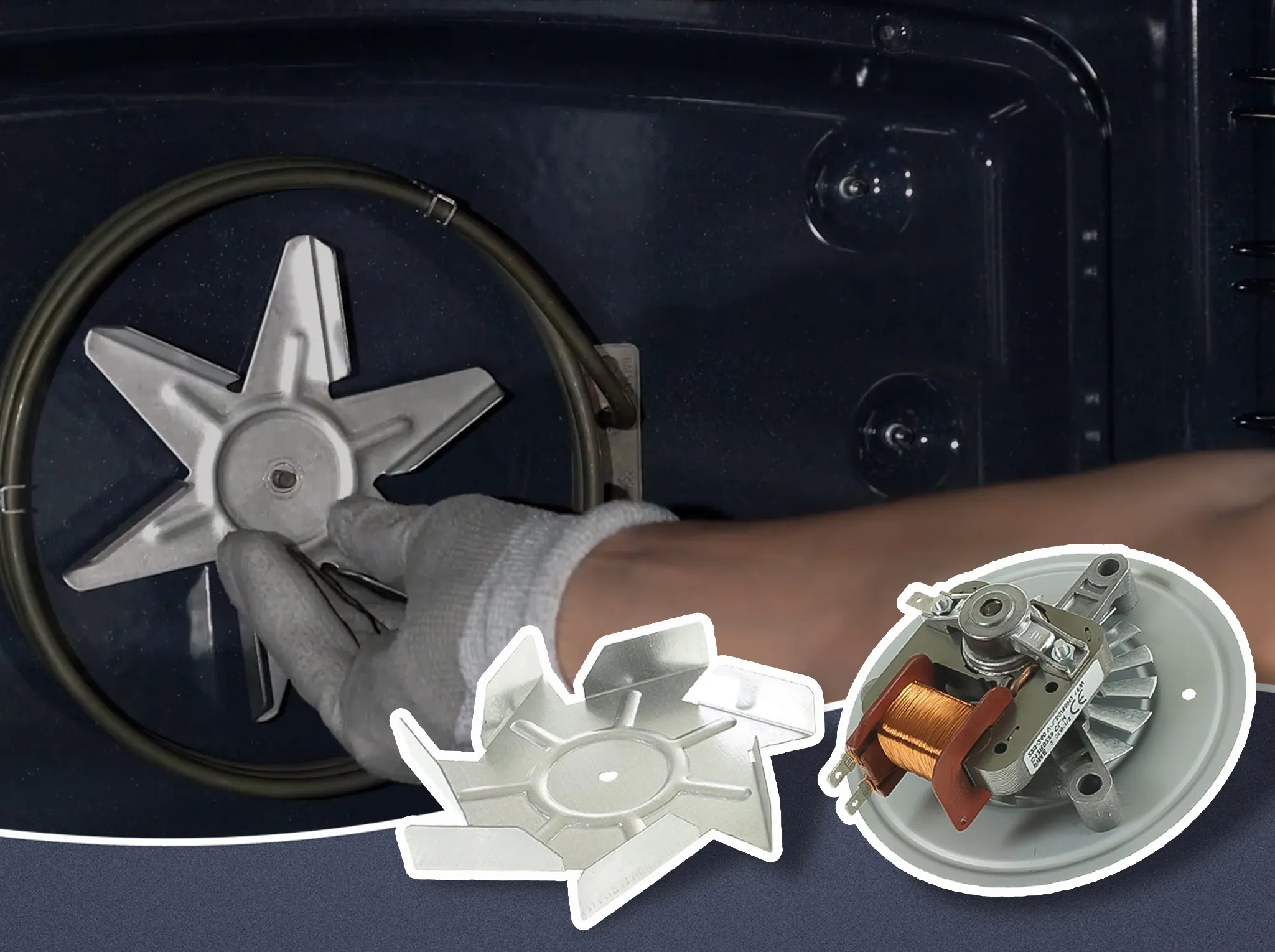
If your ILVE range is experiencing airflow issues or abnormal fan noise, the radial fan motor may need replacement. The radial fan plays a crucial role in maintaining consistent heat circulation within the oven cavity.
This guide provides step-by-step instructions for replacing the radial fan safely and correctly. The procedure involves working with internal components, so take care and disconnect all power before starting.
Tools Required
- Phillips screwdriver
- 10mm socket wrench
- Replacement ILVE radial fan motor
- Clean, stable workspace
Step-by-Step Replacement Process
-
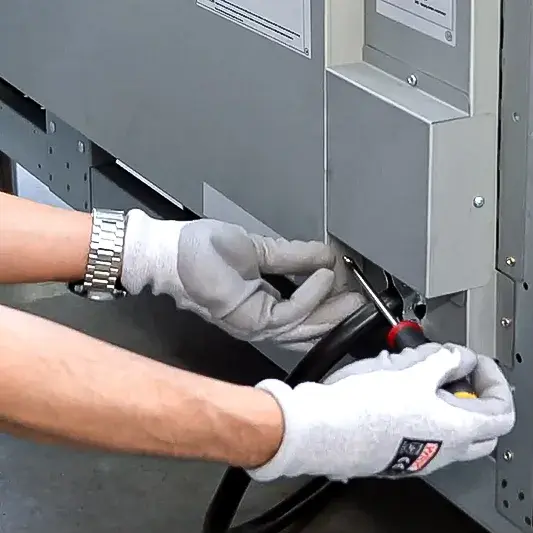
Remove the back panel screws.
Use a screwdriver to remove the screws from the rear panel of the unit. -
Remove the back cover.
Gently lift off the back cover to expose internal components. -
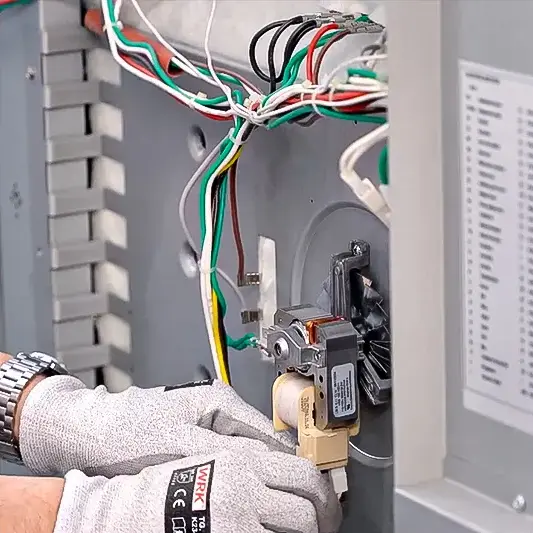
Disconnect the fan motor cables.
Detach the two electrical cables connected to the radial fan motor. -
Remove the fan cover screws.
Unscrew the four screws that secure the radial fan cover at the back of the oven cavity. -
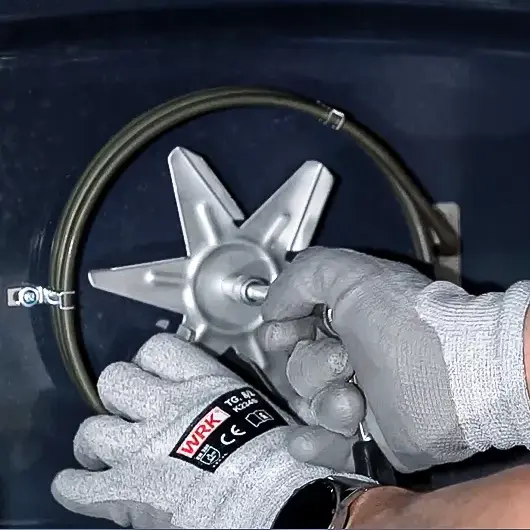
Remove the radial fan.
Use a 10mm socket wrench to remove the nut securing the fan. Then carefully pull the radial fan out. -
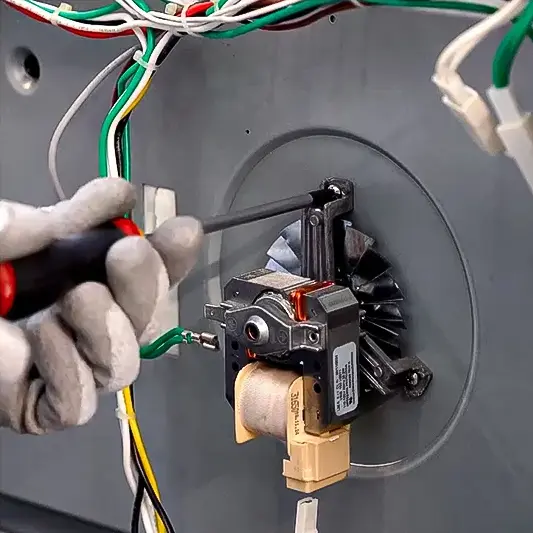
Remove the motor.
From the rear side, unscrew the three screws holding the fan motor and remove it. -
Install the new motor.
Secure the new motor in place using the same three screws. Reconnect the two cables. -
Reinstall the radial fan.
From the front, insert the radial fan back into position and tighten it with the 10mm nut. -
Reattach the fan cover and rear cover.
Secure the fan cover with its screws, then reinstall the rear panel.
Final Recommendations
- Refer to the full ILVE installation manual for clearance requirements and connection guidelines.
- Always hire a licensed professional for gas and electrical installations.
- Register your ILVE Range online to activate your warranty and receive product support.
Need further assistance? Visit us.ilve.com or contact our support team.
