Installing self-clean panels on the ILVE Nostalgie and Professional Series range
The ILVE Nostalgie range combines a stylish, vintage-inspired design with cutting-edge technology, making it the perfect addition to any kitchen. One of the standout features of the ILVE Nostalgie is its built-in rotisserie oven, which brings the professional cooking experience straight into your home. Whether you’re looking to prepare succulent chicken, tender pork, or even rotisserie vegetables, this feature will help you create mouthwatering dishes that are sure to impress.
In this guide, we will walk you through how to use the Rotisserie Oven on the ILVE Nostalgie, ensuring you understand each step from setting up the rotisserie spit to ensuring your food is cooked evenly and perfectly. The steps outlined here will help you get the most out of your ILVE Nostalgie’s rotisserie oven, and by the end, you’ll be able to roast a variety of meats and vegetables with ease. Whether you’re a seasoned cook or just starting to explore the magic of rotisserie cooking, you’ll find this guide simple, thorough, and helpful.
Tools and Equipment Needed:
- Rotisserie spit rod and holders (included with your ILVE Nostalgie)
- Meat or poultry (chicken, lamb, pork, etc.)
- Seasoning or marinade of your choice
- Oven mitts
- Meat thermometer (optional but recommended)
- Oven tray
Step-by-Step Replacement Process
- Loosen the Wooden Crate
- Start by using a crowbar to loosen the wooden crate surrounding the range.
- Lift and Remove the Crate
- With assistance, carefully lift and remove the crate to reveal the appliance.
- Remove the Cardboard
- Peel away all cardboard packaging from the unit.
- Take Off the Plastic Wrapping
- Unwrap any protective plastic covering the body of the appliance.
- Disassemble Grates and Burner Caps
- Remove the cooktop grates and burner caps to prevent damage during handling.
- Remove the Drawer
- Pull out and set aside the bottom drawer of the range.
- Detach the Oven Doors
- Using a screwdriver or pliers, gently remove the oven doors to reduce the weight of the unit for lifting.
- Remove All Accessories Inside the Ovens
- Take out all trays, racks, and packaged accessories stored inside both ovens.
- Ensure the Unit Is Completely Empty
- Double-check that the appliance is empty before moving forward.
- Protect the Unit During Handling
- Place a piece of cardboard from the original packaging against the back of the range to prevent scratching while rotating.
- Carefully Rotate the Unit
- With the help of another person, rotate the unit on its side or back to access the underside.
- Remove Temporary Shipping Feet
- Detach any temporary feet or protective blocks used for transport.
- Install the Permanent Legs
- Locate the legs in the included kit and follow the installation instructions to assemble them.
- Secure the Legs
- Tighten each leg securely to ensure a stable and level base.
- Remove the Pallet
- Lift the appliance slightly and slide out the wooden pallet beneath it.
- Lift Carefully to Avoid Damage
- When lifting the range, avoid placing full weight on the newly installed legs.
- Position the Unit in Place
- Gently move the unit into its designated spot in the kitchen layout.
- Reattach All Components
- Finish the process by reinstalling the oven doors, drawer, cooktop grates, and burners.

Final Recommendations
- Refer to the full ILVE installation manual for clearance requirements and connection guidelines.
- Always hire a licensed professional for gas and electrical installations.
- Register your ILVE Range online to activate your warranty and receive product support.

Need further assistance? Visit us.ilve.com or contact our support team.
Installing self-clean panels on the ILVE Nostalgie and Professional Series range
The ILVE Nostalgie and Professional Series ranges come with optional self-cleaning panels that help reduce residue buildup inside the oven. Installing these panels is a simple process that only requires a screwdriver.
This guide walks you through the correct steps to install the panels and reassemble the oven interior.
Tools Required
- Screwdriver
Step-by-Step Replacement Process
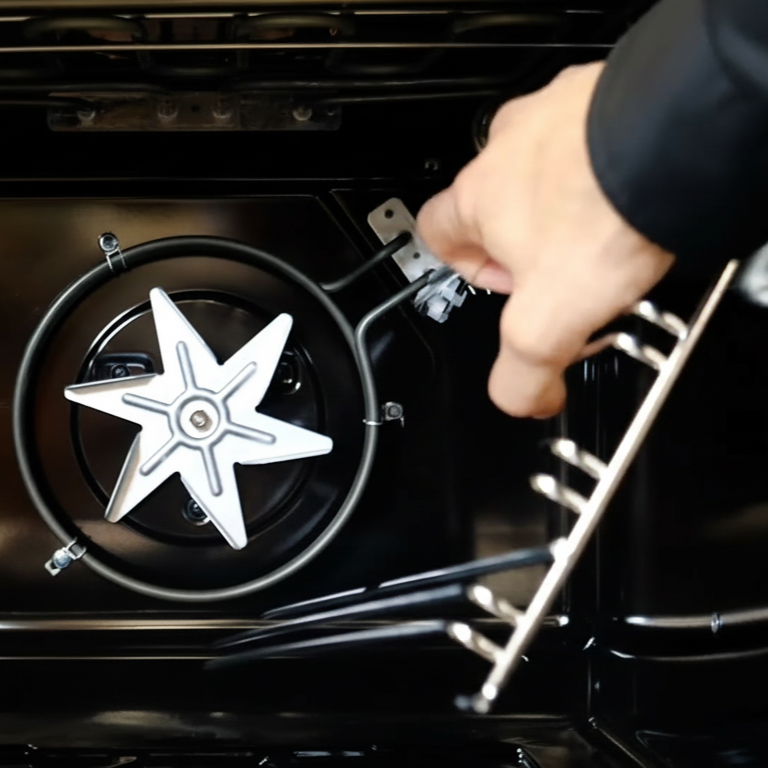
Unscrew the Fan Cover
- Begin by unscrewing and removing the oven’s rear fan cover using a screwdriver.
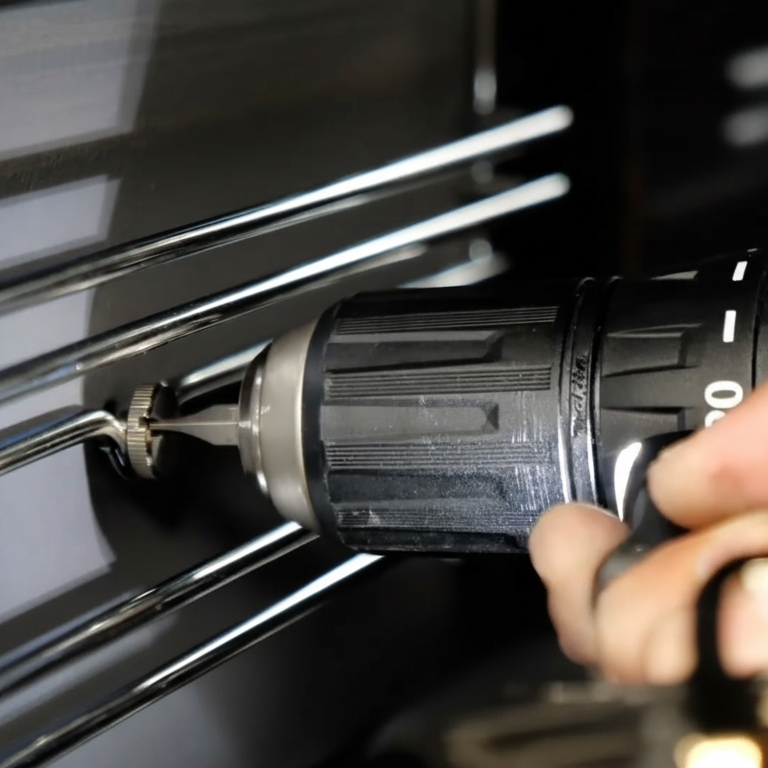
Remove the Side Grids
- Detach the metal side grids by lifting and sliding them off their support hooks.
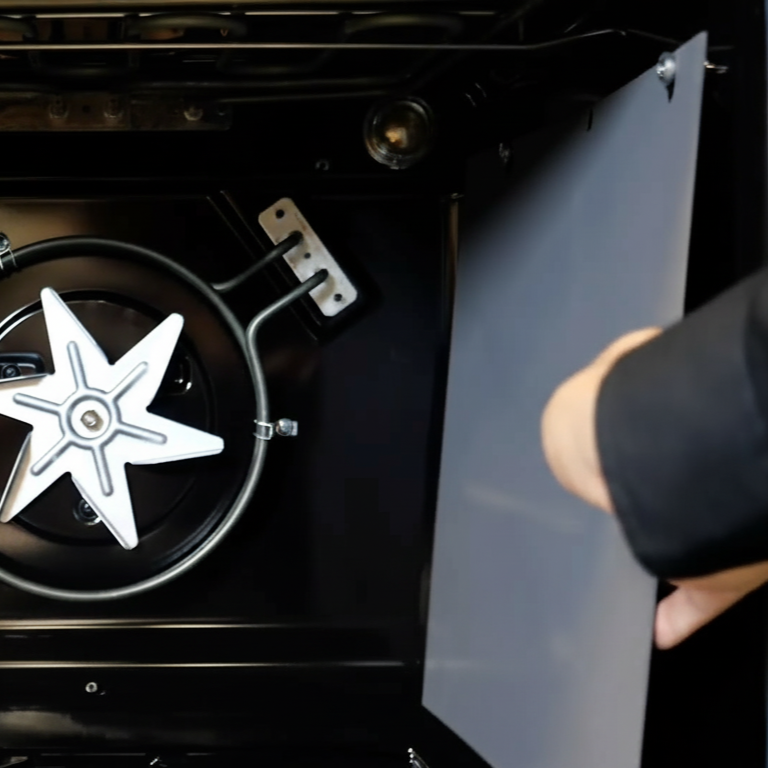
Mount the Self-Cleaning Panels
- Place each self-cleaning panel onto its designated support area on the inner walls of the oven.
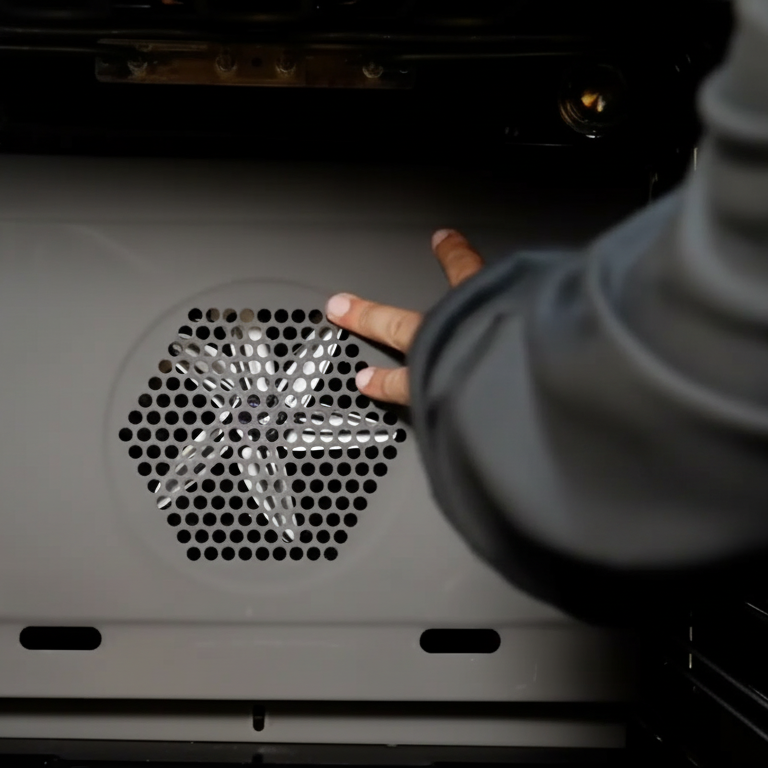
Install the Self-Cleaning Fan Cover
- Attach the specialized fan cover designed to work with self-clean panels, and secure it using the original screws.
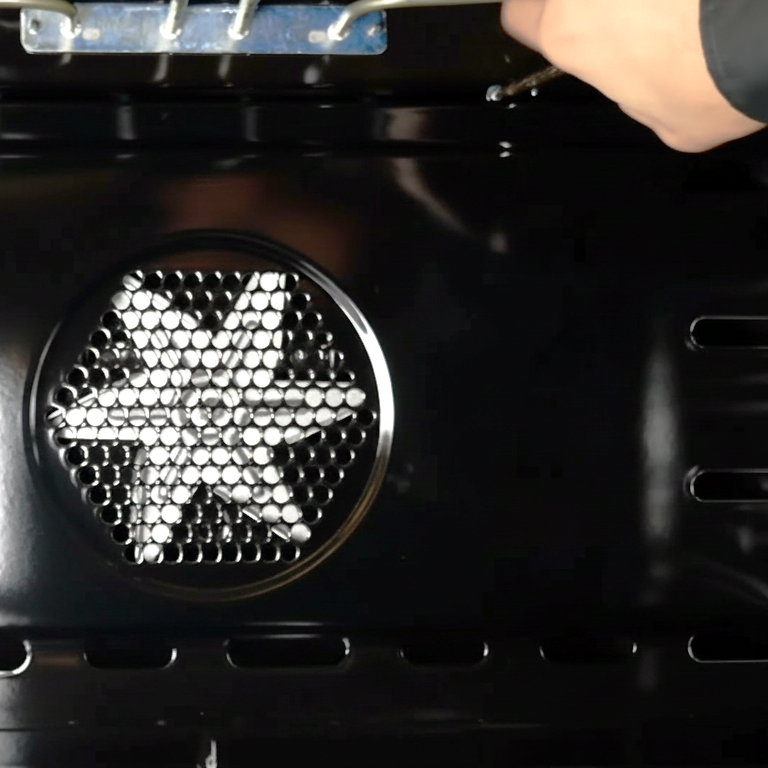
Reattach the Side Grids
- Reinstall the metal side grids and ensure they are latched securely around their designated screws.

Final Recommendations
- Refer to the full ILVE installation manual for clearance requirements and connection guidelines.
- Always hire a licensed professional for gas and electrical installations.
- Register your ILVE Range online to activate your warranty and receive product support.
Need further assistance? Visit us.ilve.com or contact our support team.