
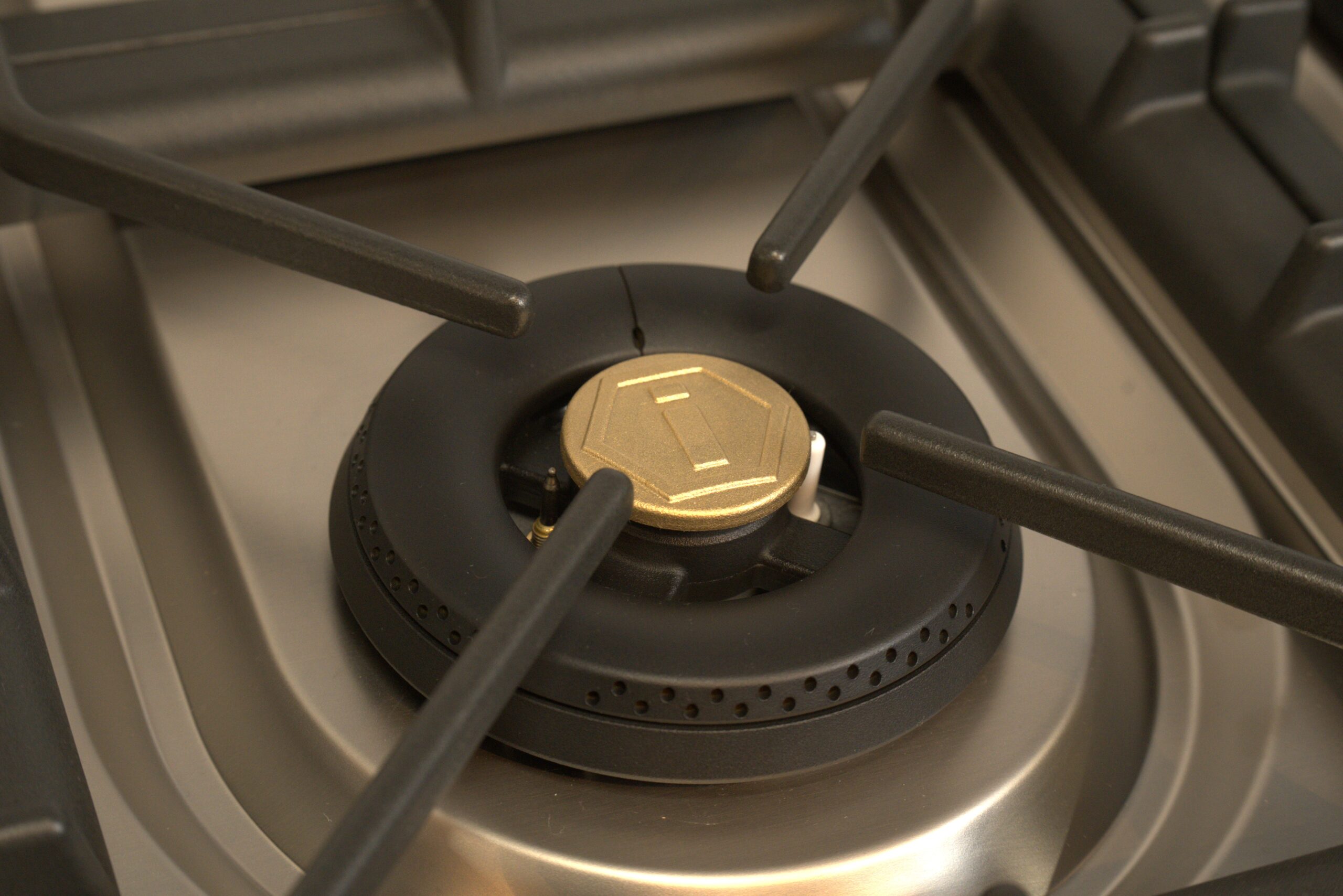
Overview
ILVE Majestic ranges use an electronic ignition system that lights burners when the control knob is pressed and turned to the ignition position.
During normal operation, the knob must be held for a few seconds to allow the flame to stabilize after ignition.
If the burners do not ignite, you may notice clicking without flame, no clicking, or delayed ignition.
This guide will help determine whether the issue is related to ignition method, burner setup, gas supply, or a component-related problem.
Common Causes
If burners are not igniting, the issue is typically related to:
- Knob not held long enough during ignition
- Burner components not properly aligned
- Igniter not sparking
- Gas supply turned off or restricted
- Burner ports clogged or dirty
- Moisture after cleaning
- Electrical supply issue (ignition system)
Operational Note
Majestic burners require a specific ignition method, which can:
- Require holding the knob for several seconds
- Delay ignition slightly compared to standard ranges
- Be affected by cleaning or moisture
From the manual:
- The knob must be pressed and held for about 5 seconds for the flame to remain lit
Failure to hold the knob long enough is one of the most common causes of ignition issues.
Troubleshooting Tip
Review the troubleshooting chart on the following page before contacting service.| Possible Cause | What To Do |
|---|---|
| Knob not held long enough | Hold knob 3–5 seconds |
| Burner parts misaligned | Reposition burner components |
| No clicking sound | Check power supply |
| Clicking but no flame | Check gas supply |
| Weak ignition | Clean burner ports |
| Moisture present | Allow burner to dry |
Step 1: Confirm proper ignition method
Steps:
- Press and turn knob to ignition position
- Hold knob for 3-5 seconds
- Observe ignition
Result interpretation:
- Ignites after holding → Normal operation
- Does not ignite → Continue diagnosis
Step 2: Check ignition spark
Steps:
- Listen for clicking sound
- Look for visible spark
Result interpretation:
- Clicking present → Ignition system working
- No clicking → Electrical or igniter issue
Step 3: Inspect burner assembly
Steps:
- Remove grates and burner caps
- Check alignment of burner components
- Reinstall correctly
Action:
- Ensure burner sits flat and centered
Reference:
- Refer to “How to Operate Burners on Majestic” blog and video for instructions.
Step 4: Check gas supply
Steps:
- Confirm gas supply valve is open
- Test other burners
Result interpretation:
- All burners not working → Gas supply issue
- One burner not working → Local burner issue
Step 5: Clean burner ports
Steps:
- Inspect burner holes for debris
- Remove any buildup
Action:
- Clean gently using non-abrasive method
Important:
- Blocked ports can prevent proper ignition.
Step 6: Check for moisture
Steps:
- Determine if burners were reccently cleaned
- Inspect for water or condensation
Action:
- Allow components to fully dry
- Retry ignition
Step 7: Reset the oven
Steps:
- Turn OFF the circuit breaker
- Wait at least 2 minutes
- Turn the breaker back ON
- Test the oven at 350°F (175°C) using Convection / Fan mode
Step 8: Observe temperature behavior
| Situation | Issue | Possible Causes |
|---|---|---|
| A | No clicking sound | Electrical / igniter issue |
| B | Clicking but no flame | Gas or blockage issue |
| C | Delayed ignition | Moisture or dirty burner |
| D | One burner affected | Local issue |
| E | All burners affected | Gas or power issue |
Step 9: Identify unsafe conditions
Steps:
- No spark on any burner
- Gas smell without ignition
- Repeated ignition failure
- Inconsistent ignition behavior
If any of these occur:
- Turn OFF power at the breaker
- Do NOT continue use
- Contact a qualified technician
When to contact service
Service is required if:
- No ignition spark is present
- Gas flows but burners do not ignite
- Ignition remains inconsistent after cleaning and setup checks
Possible causes include:
- Faulty igniter
- Electrical supply issue
- Gas valve malfunction
- Internal component failure
These components require inspection by a qualified service technician.
Contact ILVE USA Customer Service to schedule service.
